
You have a great business idea. You've invested in development. But when users land on your website or app— they leave within seconds. Sound familiar? Most of the time, the problem isn't your product. It's the experience around it.
This is exactly where professional UI/UX design services become critical for building user-focused products. According to Forrester Research, a well-designed user interface can raise your website's conversion rate by up to 200%, and a better UX design can yield conversion rates up to 400%. But UI/UX isn't just about making things look pretty. It's a structured, research-driven workflow that ensures every button, every page, and every interaction is built around what your user actually needs.
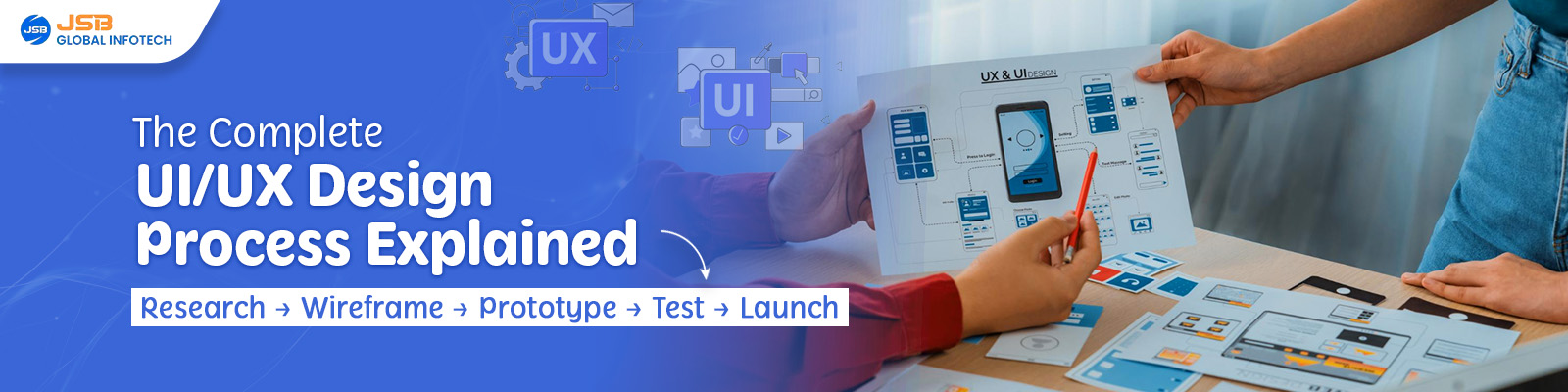
In this blog, you'll understand the complete UI UX design process steps for business — explained practically, so you know exactly what happens at each stage and why it matters for your product's success.
Step 1: User Research — Understanding Who You're Designing For
Every strong UI design workflow begins not on a screen — but with people.
User research is the foundation of the entire UX design process. Before a single wireframe is drawn, designers need to understand who the target users are, what problems they face, and what they expect from the product.
What actually happens in this step:
User Interviews — Designers speak directly with potential users to understand their pain points, habits, and goals
Surveys and Questionnaires — Quantitative data is collected to identify patterns across a larger audience
Competitor Analysis — Existing products in your niche are studied to identify what's working and what's missing
Persona Creation — Based on research, 2-3 fictional "user personas" are created representing your real target audience
Real Example: Imagine you're building a food delivery app for Tier-2 Indian cities. Research might reveal that your users prefer COD over digital payments, and most browse on low-end Android phones with slow internet. Without this research, your designer might build a visually heavy app that fails completely for your actual audience.
Skipping user research is the #1 reason products fail after launch — not lack of features.
Step 2: Defining the Problem — Turning Insights Into Direction
Once research is complete, the next stage in the user experience design process is making sense of all that data.
This step is often overlooked by businesses in a hurry, but it's what separates average products from exceptional ones. Here, the design team synthesizes everything they've learned and clearly defines: What exact problem are we solving, and for whom?
What actually happens in this step:
Affinity Mapping — Research findings are grouped into themes to identify patterns
Problem Statement Creation — A clear, focused problem statement is written. Example: "Young startup founders in India struggle to understand their website analytics because existing tools are too complex and technical."
User Journey Mapping — The complete path a user takes to achieve their goal is mapped out, highlighting pain points at each touchpoint
Defining Success Metrics — KPIs are set: What does "success" look like? Lower bounce rate? More sign-ups? Faster checkout?
This step ensures the entire team — designers, developers, and stakeholders — is aligned before any design work begins. It prevents expensive revisions later.
Step 3: Wireframing — Building the Blueprint
Now the visual part of the UI UX design steps begins — but not with colors or fonts yet. First comes the wireframe. This stage is often handled through structured wireframing and prototyping services to ensure clarity before development begins.
A wireframe is essentially a blueprint of your product. Think of it like the architectural layout of a building — no paint, no furniture, just the structure. It shows where elements will be placed: navigation, buttons, content areas, forms, and CTAs.
What actually happens in this step:
Low-Fidelity Wireframes — Basic hand-drawn or digital sketches showing layout structure
High-Fidelity Wireframes — More detailed digital layouts showing exact placement of every element, created in tools like Figma or Adobe XD
User Flow Diagrams — Visual maps showing how a user moves from one screen to another
Why this matters for your business: Wireframes are reviewed and approved before development begins. This is where you can request changes at almost zero cost. Making the same change after development can cost 10x more in time and money.

Step 4: Prototyping — Making It Clickable Before It's Built
A prototype is a wireframe brought to life, often created using professional wireframing and prototyping services to simulate real user interaction.
This is one of the most powerful stages in the UX design process, explained simply: it lets you experience the product before spending a single rupee on development.
What actually happens in this step:
Wireframe screens are linked together to create a clickable flow
Micro-interactions are added — button hover effects, page transitions, loading states
The prototype is built in tools like Figma, InVision, or Marvel
Stakeholders and clients can "use" the product and give feedback before a single line of code is written
Real Example: A Bangalore-based SaaS startup used prototyping before development and discovered their onboarding flow had 11 steps, which users found overwhelming. They reduced it to 4 steps based on prototype feedback. Result: 60% improvement in onboarding completion rate after launch.
Prototyping typically catches 70-80% of usability issues before development even begins.
Step 5: Usability Testing — Let Real Users Break It
This is where your assumptions meet reality.
Usability testing is a critical but underused stage of the UI design workflow, especially among Indian startups and small businesses. In this step, real users interact with your prototype while designers observe and record what happens. Many businesses now rely on dedicated usability testing services to identify friction points and improve user experience before launch.
What actually happens in this step:
5-8 target users are selected and asked to complete specific tasks on the prototype
Designers observe without interfering — noting where users get confused, stuck, or frustrated
Heatmap and click-tracking tools like Hotjar or Maze are used for remote testing
Findings are compiled into a usability report with prioritized fixes
Key Insight: Research by the Nielsen Norman Group shows that testing with just 5 users uncovers approximately 85% of usability problems. You don't need hundreds of testers — you need the right ones.
Testing Type | When Used | Cost Level | Best For |
|---|---|---|---|
Moderated Testing | During the prototype stage | Medium | Startups, new products |
Unmoderated Remote Testing | Post-Launch | Low | Established products |
A/B Testing | Live Product | Low-Medium | Conversion Optimization |
Eye Tracking | Detailed UX Research | High | Enterprise Products |

Step 6: UI Design & Final Handoff — Bringing It All to Life
Once testing is complete and all issues are resolved, the final stage of the UI UX design process steps for business begins — the actual visual design and developer handoff.
This is where your product gets its personality, often crafted with the help of professional graphic design services to ensure strong visual appeal and branding consistency.
What actually happens in this step:
UI Design includes:
Design System — A library of reusable components (buttons, cards, input fields, color palette, font styles) that ensures consistency across every screen
Brand Guidelines Application — Your logo colors, typography, and visual identity are applied consistently throughout
Full Screen Design — Every screen is designed in detail for desktop, tablet, and mobile
Real Content Integration — Actual text, images, and data replacing all placeholder content
Developer Handoff includes:
All design files are organized and annotated in Figma with exact measurements, spacing, font sizes, and color codes
Assets exported in correct formats (SVG, WebP, PNG)
A clickable prototype was shared for developer reference
Design system documentation has been handed over, so developers can build consistently

Frequently Asked Questions
Q1. How long does the complete UI/UX design process take?
It depends on the complexity of the product. For a simple website, the UI UX design process takes 3-5 weeks. For a mobile app or complex web platform, it typically takes 8-16 weeks. Rushing the process — especially research and testing — leads to costly revisions post-launch.
Q2. How much does UI/UX design cost for a business in India?
Cost varies based on scope. A basic website UI UX design starts from ₹30,000-₹80,000. A full mobile app UI/UX design with research and prototyping can range from ₹1.5 lakh to ₹5 lakh+, depending on the number of screens and complexity.
Q3. Can I skip usability testing to save time and cost?
Technically yes, but it's a risky decision. Nielsen Norman Group research shows that fixing a usability issue after development costs 100x more than fixing it during the UX design process. Testing saves money in the long run.
Q4. What is the difference between UI design and UX design in this process?
UX design covers the entire process — research, wireframing, prototyping, and testing. UI design is the final visual layer — colors, typography, icons, and visual components. Both work together as part of the complete UI UX design steps — not separately.
Q5. Do I need a separate UI/UX designer, or can my web developer handle it?
Web developers are skilled at building, not necessarily at designing user experience processes. A UI/UX designer understands human psychology, user behavior, and visual communication. For any serious product, a dedicated UI/UX designer is strongly recommended.
Conclusion
The UI UX design process isn't a luxury — it's the difference between a product people love and one they abandon. From deep user research to structured wireframing, interactive prototyping, real-user testing, and a polished final UI, every step in the UI UX design workflow exists to protect your business from costly mistakes and ensure your users keep coming back.
Whether you're a startup about to launch your first app or an established business looking to redesign your website, following the right UI UX design process steps for business will save you time, money, and frustration.
Need expert help? Explore our UI/UX design services to build user-friendly, conversion-focused products or contact us today for a free consultation.
